Last updated: April 26, 2026
Last Updated: April 10, 2026
Still have questions about setting up IPTV on your Firestick? Check our FAQ and setup guide for quick answers.
In This Guide
- 01.Quick Answer
- 02.Quick Summary: Setting Up IPTV on Your Firestick
- 03.What Is IPTV on Firestick and Why Use It?
- 04.Which Firestick Model Works Best for IPTV?
- 05.How to Install IPTV Smarters Pro on Firestick
- 06.How to Install TiviMate on Firestick
- 07.How to Install XCIPTV on Firestick
- 08.How to Add Your IPTV Subscription Credentials
- 09.How to Optimize Your Firestick for IPTV Streaming
- 10.Troubleshooting Common IPTV Issues on Firestick
- 11.Best IPTV Apps for Firestick Compared
- 12.How Much Does IPTV Cost for Firestick?
- 13.Can I Use a VPN with IPTV on Firestick?
- 14.Start Streaming IPTV on Your Firestick Today
Quick Answer
To set up IPTV on your Amazon FireStick: open the Downloader app, install your preferred IPTV player (TiviMate or IPTV Smarters Pro), then enter your M3U URL or Xtream Codes login from your IPTV provider. The whole process takes about 5 minutes and works on all FireStick models including the 4K Max.
Additionally, keep reading for the full step by step guide with screenshots and troubleshooting tips.
Quick Summary: Setting Up IPTV on Your Firestick
Setting up IPTV on a Firestick takes about 5 minutes once you know the steps. You need an active IPTV subscription, a Firestick connected to your TV, and a stable internet connection. The process involves installing an IPTV player app (like IPTV Smarters Pro or TiviMate), then entering your subscription credentials using either an M3U link or Xtream Codes login.
Moreover, this guide walks you through every method, every app, and every troubleshooting tip you need. We tested each approach on the Firestick 4K, Firestick 4K Max, Firestick Lite, and the Fire TV Stick (3rd gen).
- An Amazon Firestick (any model works)
- An active IPTV subscription with M3U link or Xtream Codes credentials
- Internet connection (minimum 10 Mbps for HD, 25 Mbps for 4K)
- 5 minutes of your time
What Is IPTV on Firestick and Why Use It?
IPTV (Internet Protocol Television) delivers live TV channels and on demand content through your internet connection instead of traditional cable or satellite. The Amazon Firestick is the most popular device for IPTV because it’s affordable, portable, and supports all major IPTV player apps.
Typically, here’s why Firestick is the go-to device for IPTV viewers. It costs between $25 and $60 depending on the model. It plugs directly into any TV’s HDMI port. It supports 4K HDR streaming on newer models. And it runs Android based Fire OS, which means you can install apps that aren’t available in the official Amazon App Store.
With a Firestick and an IPTV subscription like XtremeHD IPTV, you get access to 40,000+ live channels, 90,000+ movies and TV shows on demand, and content from over 100 countries. All for a fraction of what cable companies charge.
Which Firestick Model Works Best for IPTV?
| Model | Resolution | RAM | IPTV Rating |
|---|---|---|---|
| Firestick 4K Max (2nd Gen) | 4K Ultra HD | 2 GB | Best Choice |
| Firestick 4K | 4K Ultra HD | 2 GB | Excellent |
| Fire TV Stick (3rd Gen) | 1080p Full HD | 1 GB | Good |
| Firestick Lite | 1080p Full HD | 1 GB | Basic |
Notably, for the best IPTV experience, we recommend the Firestick 4K Max. The extra RAM means smoother channel switching, and 4K support lets you take full advantage of HD and Ultra HD IPTV channels. However, even the basic Firestick Lite handles standard IPTV streaming without issues.
How to Set Up IPTV on Firestick with Smarters Pro
IPTV Smarters Pro is the most widely used IPTV player app. It’s free, supports Xtream Codes login, and has a clean interface with EPG (electronic program guide) support. Here’s how to install it.
Step 1: Open the Search Function
Overall, from your Firestick home screen, navigate to the search icon (magnifying glass) in the top-left corner. You can also hold the microphone button on your remote and say “IPTV Smarters.”
Step 2: Search for IPTV Smarters Pro
Type “IPTV Smarters” using the on-screen keyboard. The app should appear in the search results. Select it.
Step 3: Download and Install
Meanwhile, click “Get” or “Download” to install the app. It’s about 30 MB, so the download takes under a minute on most connections.
Step 4: Open and Log In
Launch the app and select “Login with Xtream Codes API.” Enter the server URL, username, and password from your IPTV subscription. These credentials are sent to you after purchase from XtremeHD IPTV.
Alternative: Sideload via Downloader App
However, if IPTV Smarters Pro isn’t available in your region’s Amazon App Store, you can sideload it using the Downloader app. This method works on every Firestick worldwide.
First, you need to enable “Apps from Unknown Sources” in your Firestick settings. Go to Settings, then My Fire TV, then Developer Options. Toggle on “Apps from Unknown Sources” (or “Install Unknown Apps” on newer firmware). If you don’t see Developer Options, go to Settings, My Fire TV, About, and click on your device name 7 times to get access to it.
Next, install the Downloader app from the Amazon App Store (it’s free, made by AFTVnews). Open Downloader, type in the download URL for IPTV Smarters Pro, and the app will download and install automatically.
How to Set Up IPTV on Firestick Using TiviMate
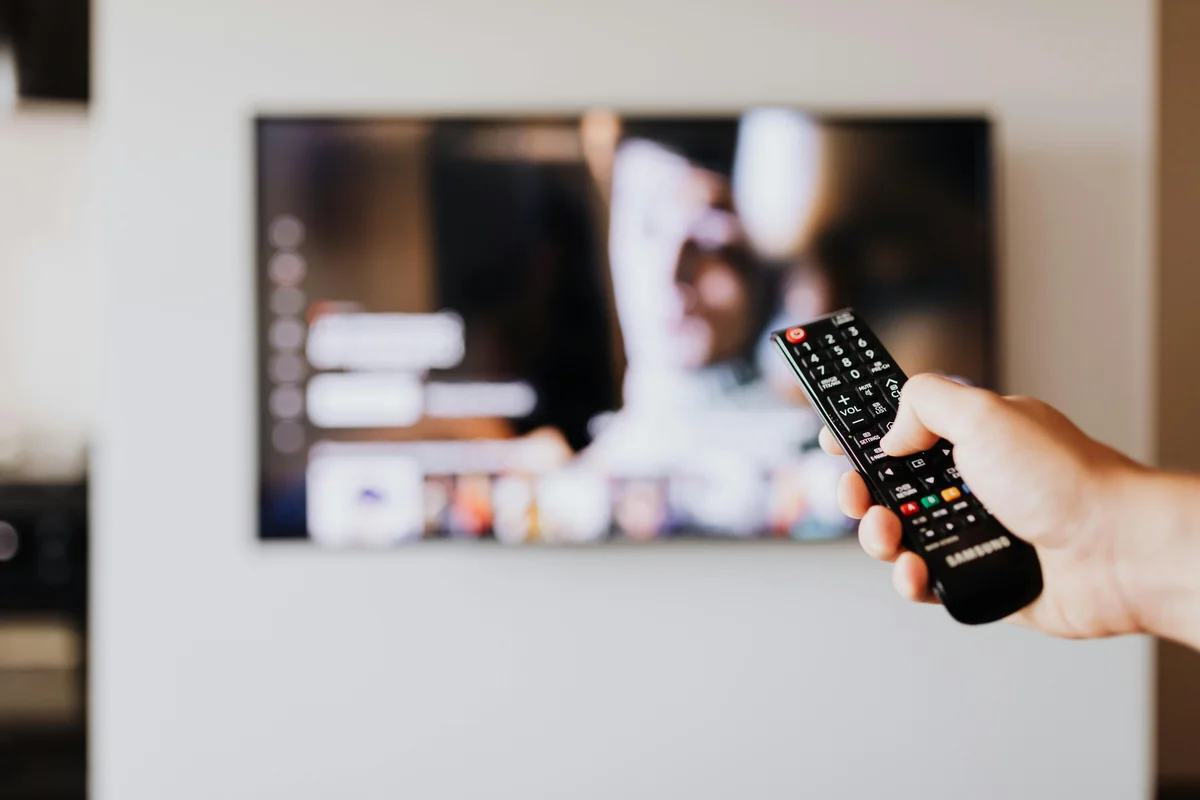
TiviMate is the premium choice for IPTV on Firestick. The free version works fine, but TiviMate Premium ($5.49/year) opens up features like recording, multiple playlists, and a favorites system. Many IPTV users consider it the best player available.
For example, tiviMate is available directly on the Amazon App Store. Search for “TiviMate” in the Firestick search, download it, and open it. When prompted, select “Add Playlist” and choose either M3U Playlist or Xtream Codes. Enter your XtremeHD IPTV subscription credentials, and the app will load your channel list within seconds.
TiviMate’s interface is designed for remote control navigation, which makes it particularly good for Firestick. The EPG (electronic program guide) shows what’s currently playing and what’s coming up next across all your channels. You can set favorites, create custom channel groups, and even record live TV with the premium version.
How to Set Up IPTV on Firestick via XCIPTV
Similarly, xCIPTV is another solid IPTV player that works well on Firestick. It supports Xtream Codes login, has a built in EPG, and offers a clean grid-style channel layout. Some users prefer XCIPTV because it handles large channel lists (40,000+ channels) without slowing down.
Install XCIPTV from the Amazon App Store or sideload it using the Downloader app. The setup process is identical to IPTV Smarters: open the app, enter your Xtream Codes credentials (server URL, username, password), and wait for the channel list to load.
How to Set Up IPTV on Firestick with Your Credentials
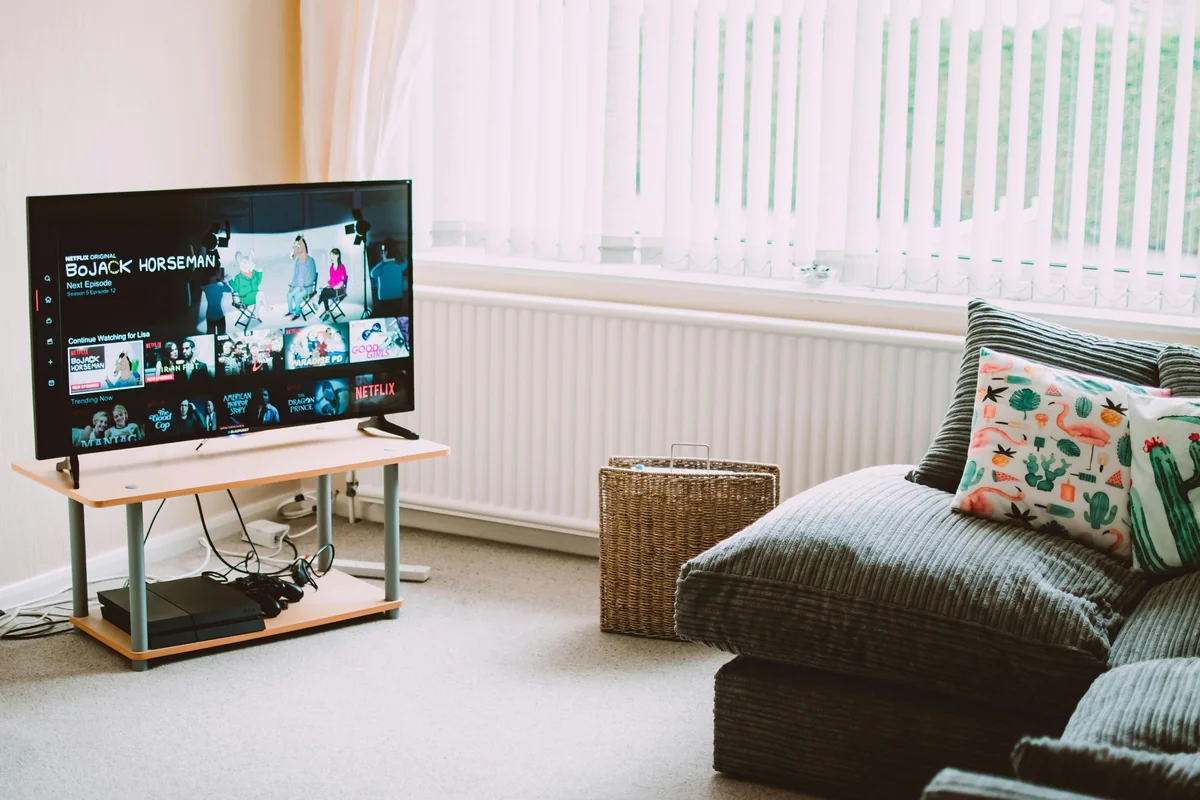
Generally, regardless of which app you choose, you need to enter your IPTV subscription credentials. When you purchase an IPTV plan from XtremeHD IPTV, you receive your login details via email within minutes. There are two ways to connect:
Option 1: Xtream Codes Login (Recommended)
You receive three pieces of information: a Server URL, a Username, and a Password. In your IPTV app (see our best IPTV apps for Firestick comparison) (see our best IPTV apps for Firestick comparison), select “Xtream Codes” as the login method and enter these three fields. This method is preferred because it supports EPG, channel categories, catch-up TV, and VOD content.
Option 2: M3U Playlist URL
Clearly, you receive a single URL that starts with “http://” and ends with a format like “.m3u” or includes “/get.php”. Copy this URL and paste it into your IPTV app’s M3U playlist field. This method works with every IPTV player but offers fewer features than Xtream Codes.
Pro Tip: Use Xtream Codes Over M3U
Xtream Codes login gives you access to the full EPG (TV guide), organized channel categories, catch-up TV for missed shows, and the complete VOD library. M3U playlists only provide the basic channel list without these extras.
How to Optimize Your Firestick for IPTV Streaming
A few quick tweaks can dramatically improve your IPTV experience on Firestick. These optimizations reduce buffering, speed up channel switching, and improve picture quality.
Clear Cache Regularly
Importantly, go to Settings, Applications, Manage Installed Applications, select your IPTV app, and click “Clear Cache.” Do this weekly. Cached data builds up over time and slows down channel loading.
Use an Ethernet Adapter
WiFi is convenient, but a wired Ethernet connection is more stable for IPTV. Amazon sells a USB Ethernet adapter for the Firestick ($15). If you experience buffering on WiFi, this is often the fix. A wired connection provides consistent bandwidth without interference from other devices, walls, or microwave ovens.
Disable Background Apps
Furthermore, the Firestick has limited RAM (1-2 GB). Close apps you aren’t using by going to Settings, Applications, Manage Installed Applications, and force-stopping unused apps. This frees up memory for smoother IPTV playback.
Turn Off Data Monitoring
Fire OS runs data monitoring in the background, which can interfere with streaming. Go to Settings, Preferences, Data Monitoring, and turn it off. This removes a small but real source of bandwidth competition.
Troubleshooting Common IPTV Issues on Firestick
Specifically, even with the right setup, you might run into occasional issues. Here are the most common problems and their fixes.
IPTV App Won’t Load Channels
Check your credentials first. A single wrong character in the server URL, username, or password will prevent channels from loading. Copy-paste your credentials instead of typing them manually. If credentials are correct, try switching between Xtream Codes and M3U login methods. Some servers work better with one method over the other.
Buffering During Playback
In practice, buffering is usually caused by internet speed issues. Run a speed test on your Firestick (install the “Speedtest by Ookla” app from the Amazon Store). You need at least 10 Mbps for HD and 25 Mbps for 4K. If your speed is sufficient but buffering persists, try using a VPN to bypass ISP throttling. Some internet providers deliberately slow down IPTV traffic.
App Crashes or Freezes
Clear the app cache and restart your Firestick. If the problem continues, uninstall and reinstall the IPTV app. On older Firestick models with 1 GB RAM, try using a lighter app like XCIPTV instead of IPTV Smarters Pro, which uses more memory.
No EPG (TV Guide) Data
Of course, ePG data requires Xtream Codes login (not M3U). If you use Xtream Codes and still don’t see EPG data, go to your app’s settings and look for an “Update EPG” or “Refresh Guide” option. EPG data can take a few minutes to fully load, especially with large channel lists.
Poor Picture Quality
Check your Firestick display settings. Go to Settings, Display and Sounds, Display, and make sure “Resolution” is set to the highest your TV supports (1080p or 4K). Also check your IPTV app player settings. Some apps default to a software decoder, so switch to “Hardware Decoder” for better quality and smoother playback.
Best IPTV Apps for Firestick Compared
| Feature | IPTV Smarters | TiviMate | XCIPTV |
|---|---|---|---|
| Price | Free | Free / $5.49/yr | Free |
| EPG Support | Yes | Yes (Best) | Yes |
| Recording | No | Yes (Premium) | No |
| Multiple Playlists | Yes | Yes (Premium) | Yes |
| Catch-Up TV | Yes | Yes | Yes |
| Best For | Beginners | Power Users | Large Channel Lists |
How Much Does IPTV Cost for Firestick?
Realistically, the Firestick itself costs $25 to $60 depending on the model. After that, you just need an IPTV subscription. XtremeHD IPTV plans start at $25 per month for a single connection, which includes access to 40,000+ live channels and 90,000+ VOD titles.
For the best value, the 12 month plan costs $80 for the full year. That works out to just $6.67 per month. Compare that to cable TV packages that typically run $100 to $200 per month, and the savings are significant. Over a year, you could save $1,100 or more by switching from cable to IPTV.
Ultimately, if you have multiple TVs at home, XtremeHD offers multi connection plans. The 2 connection plan ($120/year) lets two people stream simultaneously, and the 3 connection plan ($160/year) covers three devices at once.
Can I Use a VPN with IPTV on Firestick?
Yes, and in many cases you should. A VPN (Virtual Private Network) encrypts your internet traffic, which serves two purposes for IPTV users. First, it prevents your ISP from seeing what you’re streaming and throttling your connection. Second, it adds a layer of privacy to your streaming activity.
That said, popular VPNs that work well on Firestick include ExpressVPN, NordVPN, and Surfshark. All three have dedicated Firestick apps available in the Amazon App Store. Install the VPN, connect to a server near your location (closer servers mean faster speeds), and then open your IPTV app as usual.
One important note: a VPN will slightly reduce your internet speed (typically by 10-20%). If your base speed is already near the minimum for HD streaming (10 Mbps), a VPN might cause buffering. Test with and without the VPN to find what works best for your connection.
Frequently Asked Questions
Q.Is IPTV on Firestick free?
The IPTV player apps (Smarters, TiviMate, XCIPTV) are free to download. However, you need an IPTV subscription to access channels. Subscriptions start at $25/month with providers like XtremeHD IPTV.
Q.Which Firestick model is best for IPTV?
The Firestick 4K Max (2nd generation) is the best option. It has 2 GB RAM, supports 4K Ultra HD, and has the fastest processor. The standard Firestick 4K is also excellent. Budget pick: the regular Fire TV Stick (3rd gen) handles 1080p IPTV without problems.
Q.Why is my IPTV buffering on Firestick?
Buffering is usually caused by slow internet (you need 10+ Mbps for HD), ISP throttling (fix with a VPN), or too many apps running in the background (clear cache and force-stop unused apps). An Ethernet adapter also helps by providing a more stable connection than WiFi.
Q.Can I use IPTV on multiple Firesticks?
Yes, but you need a multi connection IPTV plan. A single-connection plan works on one device at a time. XtremeHD IPTV offers 2 connection ($120/year) and 3 connection ($160/year) plans for households with multiple TVs.
Q.What is the difference between M3U and Xtream Codes?
M3U is a simple playlist file that lists your channels. Xtream Codes is a more advanced system that includes EPG (TV guide), channel categories, catch-up TV, and VOD content. We recommend Xtream Codes for the best experience.
Q.Do I need to jailbreak my Firestick for IPTV?
No. Jailbreaking is never required for IPTV on Firestick. Most popular IPTV player apps such as IPTV Smarters Pro and TiviMate are available directly in the Amazon Appstore. For apps that are not listed there, the official Downloader app supports safe sideloading after you enable Apps from Unknown Sources in Developer Options under Firestick settings. The entire process is fully legal and keeps your Firestick warranty intact.
Q.How many channels can I get with IPTV on Firestick?
It depends on your IPTV provider. XtremeHD IPTV offers 40,000+ live channels from over 100 countries, plus 90,000+ movies and TV shows on demand. This includes entertainment, sports, news, kids content, and international programming.
Q.Can I try IPTV before committing to a long subscription?
Yes. XtremeHD IPTV offers a 1 month plan for just $25, so you can test the service without a long commitment. A 72 hour money-back guarantee is also included on every plan, so you can request a full refund within three days of activation if the service does not meet your expectations.
Start Streaming IPTV on Your Firestick Today
In short, setting up IPTV on Firestick is straightforward once you have the right tools. Pick your IPTV app (we recommend TiviMate for power users or IPTV Smarters for beginners), enter your subscription credentials, and you’re watching live TV in minutes.
The combination of a Firestick and an IPTV subscription gives you more channels, better flexibility, and significantly lower costs compared to traditional cable. With 40,000+ channels and 4K streaming quality, it’s the setup that most cord cutters end up choosing.
Additionally, ready to get started? Try XtremeHD IPTV for $25 and see the difference yourself. Setup takes 5 minutes, activation is instant, and every plan includes a 72 hour money-back guarantee.
Last updated: April 2026. All prices and features verified at time of publication.
Stuck setting up your Firestick?
Send us a quick message on WhatsApp. We help with sideloading, login errors, and channel list setup, usually within minutes. Real humans, not bots.