Last updated: April 26, 2026
Last Updated: April 10, 2026
“`html
In This Guide
- 01.Quick Answer
- 02.How to Set Up IPTV on Samsung Smart TV
- 03.Which Samsung TV Models Are Compatible?
- 04.Understanding Why Samsung Doesn’t Natively Support Xtream Codes
- 05.Option 1: Setting Up IPTV Using Smart IPTV (SIPTV)
- 06.Option 2: Setting Up IPTV Using NET IPTV
- 07.Casting IPTV to Your Samsung TV from a Phone
- 08.Getting Your M3U URL from XtremeHD
- 09.Troubleshooting Samsung Smart TV IPTV Issues
- 10.Comparing SIPTV vs NET IPTV for Samsung
- 11.Smart TV Alternatives Worth Considering
- 12.Is IPTV Legal on Samsung Smart TVs?
- 13.Ways to Install IPTV on Samsung Smart TV
Quick Answer
To watch IPTV on a Samsung Smart TV: install an IPTV app like Smart IPTV or IPTV Smarters from the Samsung App Store, launch the app, and enter your M3U playlist URL or provider login details. Most Samsung TVs from 2017 onward (Tizen OS) support IPTV apps natively without any extra hardware.
Keep reading for the full step by step guide with screenshots and troubleshooting tips.
How to Set Up IPTV on Samsung Smart TV
Setting up IPTV on Samsung Smart TV is a little different from Android TV because Samsung runs Tizen OS, its own proprietary operating system. Tizen doesn’t support the Google Play Store, so apps like TiviMate and IPTV Smarters Pro aren’t available directly. The good news is that dedicated apps built for Tizen, specifically Smart IPTV (SIPTV) and NET IPTV, work reliably and support M3U playlist URLs. This guide covers the full process from installation to EPG, plus a casting alternative if you want to avoid app limitations entirely.
Which Samsung TV Models Are Compatible?
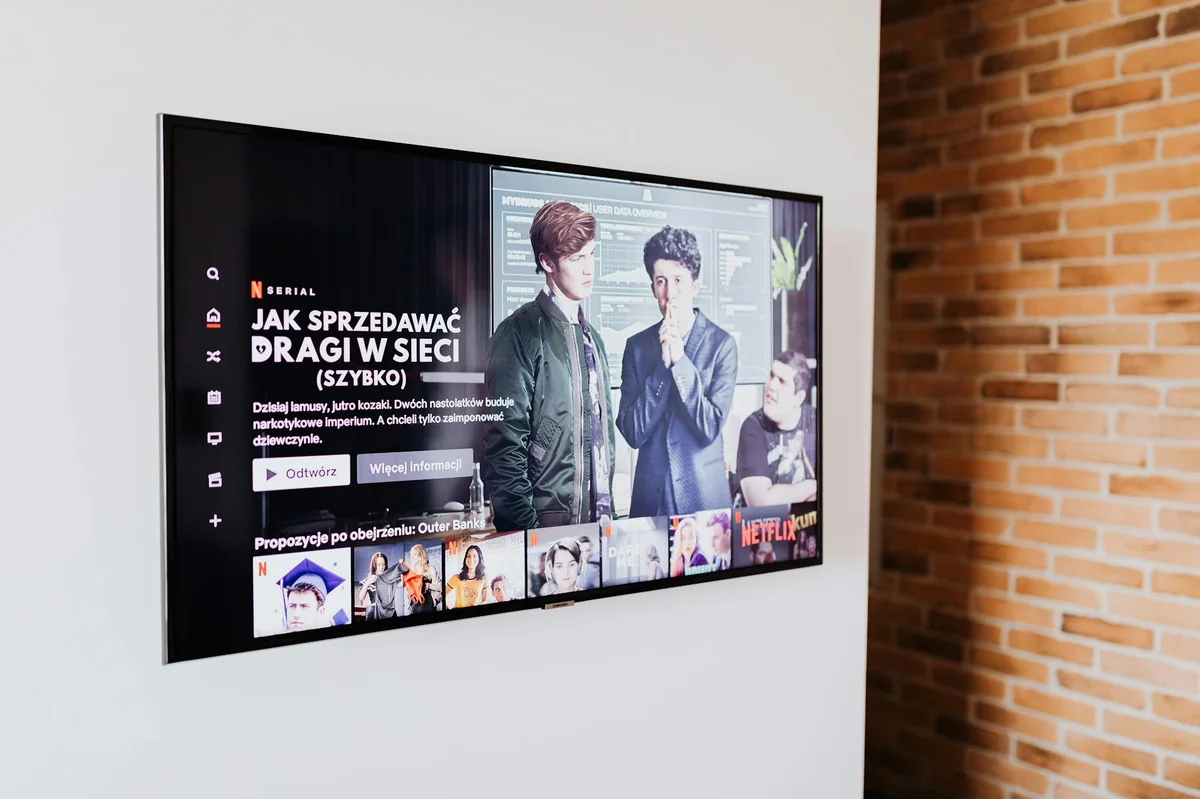
Additionally, smart IPTV and NET IPTV work on Samsung Smart TVs from 2016 onward. Specifically, you need a TV running Tizen OS 3.0 or higher. Models from 2016 to 2026 that include the Samsung Smart Hub are generally compatible. If your Samsung TV is from 2015 or earlier, it likely runs an older platform (Samsung’s previous “Orsay” system) that uses a different app installation method, and support is limited.
To check your TV’s model year, go to Menu > Support > About This TV. The model number’s first two digits usually indicate the year of manufacture. For example, a model starting with “UN65RU” is a 2019 unit. If you’re not sure, check the Samsung support site with your full model number.
Understanding Why Samsung Doesn’t Natively Support Xtream Codes
Moreover, one thing worth knowing upfront: Samsung’s Tizen platform doesn’t have an official Xtream Codes client available in the Samsung App Store. Xtream Codes is an API format used by many IPTV services to provide channel lists, VOD, and EPG through a single login (URL + username + password). On Android TV, apps like TiviMate connect directly using these credentials. On Tizen, the available apps, including Smart IPTV and NET IPTV, primarily work with M3U playlist URLs instead.
This means you’ll need to get your M3U URL from your IPTV provider, not just the Xtream Codes login. Most providers supply both. Your M3U URL typically looks like: http://yourserver.com:port/get.php?username=USER&password=PASS&type=m3u_plus. Ask your provider for this if they only sent you Xtream Codes credentials.
Option 1: IPTV on Samsung Smart TV with SIPTV

Typically, smart IPTV (commonly called SIPTV) is one of the most widely used IPTV apps for Samsung Tizen TVs. It’s been around since 2015 and supports M3U playlists with EPG via XMLTV. The app itself is free to install, but it requires a one time activation fee of around €5.49 after a 7 day trial period.
Step 1: Install Smart IPTV from the Samsung App Store
Press the Home button on your Samsung remote. Navigate to the Apps section at the bottom of the screen. Use the search icon (magnifying glass) and search for “Smart IPTV.” Select the app from the results and click Install. Once installed, launch it from your apps list. On first launch, SIPTV displays your TV’s MAC address on screen. Write this down or take a photo with your phone, because you’ll need it in the next step.
Step 2: Register Your MAC Address on the SIPTV Website
Notably, on a phone or computer, go to siptv.eu. Find the “My list” or “Add Playlist” section. You’ll be asked to enter your TV’s MAC address (the one displayed on screen when you launched the app). After entering it, paste your M3U playlist URL into the playlist URL field. Save the settings. The website stores your M3U URL linked to your TV’s MAC address.
Step 3: Load Your Channels
Back on your TV, close and relaunch Smart IPTV. The app fetches your playlist from the SIPTV server using your MAC address. Depending on how many channels your service includes, this can take 30 seconds to 2 minutes. Once loaded, you’ll see your full channel list organized by category on the left sidebar. Use the arrow keys to navigate categories and the OK button to select a channel.
Step 4: Setting Up EPG in Smart IPTV
Overall, if your M3U URL doesn’t include EPG data automatically, you can add a separate XMLTV EPG URL on the siptv.eu website alongside your playlist URL. Your IPTV provider should give you this URL. Once added on the website, relaunch the app on your TV and the program guide populates automatically. EPG usually covers 7 days of upcoming programming per channel.
Option 2: IPTV on Samsung Smart TV with NET IPTV
NET IPTV is a solid alternative to SIPTV, and it’s completely free with no activation fee. It works on Samsung Tizen TVs from 2016 onward and also supports LG webOS and some other smart TV platforms.
Install NET IPTV from Samsung App Store
Meanwhile, from the Samsung Home screen, go to Apps and search for “NET IPTV.” Install and launch it. Like SIPTV, NET IPTV displays your TV’s MAC address on the home screen. Note it down.
Configure Your Playlist via the NET IPTV Website
Visit netiptv.net on a computer or phone. Enter your MAC address to register your device. In the playlist section, add your M3U URL. You can also add an XMLTV EPG URL at the same time if your provider supplies one. Save the configuration. Back on your TV, restart the NET IPTV app and your channels load automatically from the server.
NET IPTV’s interface is a bit more basic than SIPTV, but it’s functional and fast. Channel navigation uses the standard remote control arrows, and categories are listed in a sidebar panel. For most users who just want something reliable at no cost, NET IPTV is a great starting point.
Casting IPTV on Samsung Smart TV from a Phone
However, if you’d rather not deal with Tizen app limitations, casting from a mobile device is a clean alternative. Samsung TVs support both AirPlay 2 (on 2019 and newer models) and Google Cast (via the SmartThings app on some models).
On an Android phone, install IPTV Smarters Pro or TiviMate. Open your IPTV app and start playing a channel. Then use the cast icon in the notification bar or inside the app to send the stream to your Samsung TV. The TV acts as the display while your phone handles playback. This method lets you use the full Xtream Codes feature set on your phone while watching on the big screen.
For example, on an iPhone or iPad, if your Samsung TV supports AirPlay 2, you can open your IPTV app and use the AirPlay button to cast directly. GSE Smart IPTV on iOS has built in AirPlay support, making it a reliable option for this setup.
Getting Your M3U URL for IPTV on Samsung Smart TV
When you sign up for a XtremeHD IPTV subscription (the 12 month 2 connection plan works well if you also stream on a phone or tablet), you receive both Xtream Codes login credentials and your M3U URL. For Samsung TV setup, use the M3U URL directly in SIPTV or NET IPTV. The URL format includes your username and password embedded in it, so there’s nothing extra to configure once it’s entered.
Similarly, if you’ve already received Xtream Codes credentials but need the M3U URL, you can build it yourself using this format: http://[server]:[port]/get.php?username=[user]&password=[pass]&type=m3u_plus&output=ts. Replace the bracketed values with what your provider sent. The &output=ts part at the end helps with compatibility on some apps.
Troubleshooting Samsung Smart TV IPTV Issues
Channels Load But Video Won’t Play
Samsung Tizen has codec limitations compared to Android TV. Some stream formats, particularly H.265/HEVC streams, may not play on older Samsung models. Try asking your provider for H.264 streams if available. Most providers offer alternate stream formats for older device compatibility.
App Says “Activation Required” After 7 Days (SIPTV)
Generally, this is SIPTV’s trial limit. Pay the one time €5.49 activation fee on the siptv.eu website using your MAC address. The fee is per TV, not per account, and covers lifetime use. If you have multiple Samsung TVs, each one needs its own activation.
Channels List Is Empty After Loading
Check that your M3U URL is still valid. IPTV providers sometimes rotate M3U URLs when subscriptions renew or plans change. Log into your provider’s portal or contact support to get a fresh M3U URL. Also verify that the URL isn’t truncated when you paste it into the website; very long URLs sometimes get cut off in browser form fields.
EPG Not Showing Any Program Info
Clearly, confirm that an XMLTV URL is entered in the EPG field on the siptv.eu or netiptv.net website. If the URL is correct but EPG is still missing, try clearing your playlist and re-adding it, then restart the app. Some providers update their EPG URL periodically, so it’s worth checking with them if the old one stops working.
Comparing SIPTV vs NET IPTV for Samsung
Both apps get the job done, but they’re suited to slightly different use cases. SIPTV has a more polished interface, better EPG support, and a larger user community with more documentation online. The activation fee is the only real drawback. NET IPTV is completely free and updates regularly. Its interface is simpler, which some users actually prefer. For a first time setup, NET IPTV makes sense to test with before deciding whether you want the SIPTV upgrade.
Importantly, for a broader look at IPTV setup across different devices and platforms, the IPTV setup guide covers common questions and answers in one place.
Smart TV Alternatives Worth Considering
If Tizen’s app limitations are frustrating, there’s a straightforward workaround: plug an Android TV stick or box into your Samsung TV’s HDMI port. An Amazon Firestick, a Chromecast with Google TV, or a Formuler box connected via HDMI gives you the full Android TV app ecosystem on any TV with an HDMI port. You switch inputs when you want to watch IPTV, and everything else about your Samsung TV stays the same.
Furthermore, for reference on how smart TV platforms compare technically, the Smart TV Wikipedia page has a useful breakdown of Tizen, webOS, and other platforms.
If you already have a set up IPTV on Firestick guide bookmarked, it’s worth reading if you go the HDMI stick route instead. Firestick setup on a Samsung TV is one of the most popular configurations because it bypasses Tizen entirely while using the TV’s screen and speakers.
Is IPTV Legal on Samsung Smart TVs?
Specifically, iPTV itself is a technology, not inherently legal or illegal. Licensed IPTV services like XtremeHD IPTV operate within legal frameworks, paying for the rights to distribute the channels included in their packages. Using a legal IPTV service on your Samsung TV is no different from using any other licensed streaming service. The same apps that carry unlicensed sources can also carry fully licensed ones. What matters is the service behind the subscription, not the app or the TV platform.
“`
Ways to Install IPTV on Samsung Smart TV
Samsung’s Tizen OS blocks some IPTV apps, so there’s more than one way to get channels on screen. Here’s how the main methods stack up.
| Method | Difficulty | Extra Device Needed? | Notes |
|---|---|---|---|
| Smart IPTV / Tizen app | Medium | No | Works directly on Tizen, one-off fee |
| Firestick on Samsung | Easy | Yes (Firestick) | Fastest path, full app support |
| Screen mirror from phone | Easy | Phone + TV | Fine for short sessions |
| Chromecast built in | Easy | No | Cast from Smarters on phone |
Frequently Asked Questions
Q.Does IPTV work on all Samsung Smart TV models?
Most Samsung Smart TVs from 2016 onwards run Tizen OS and support apps like Smart IPTV and NET IPTV from the Samsung Smart Hub. Older models from 2013-2015 may have limited app support. The best apps (Smart IPTV, NET IPTV, IPTV Smarters) work on Tizen OS 2.4 and later, which covers most TVs from 2016 and newer.
Q.Can I install IPTV Smarters directly on Samsung Smart TV?
IPTV Smarters Pro isn’t available on the Samsung App Store directly, but Samsung TVs from 2020 onwards support screen mirroring from Android phones, letting you cast Smarters from your phone to your TV. For a native app experience, Smart IPTV and NET IPTV are the better choices for Samsung.
Q.Why is my Samsung Smart TV IPTV buffering?
Buffering usually comes down to one of three things: internet speed (you need at least 10 Mbps for HD, 25 Mbps for 4K), WiFi interference (try moving closer to your router or using a wired ethernet connection via a USB-C to ethernet adapter), or server load on your IPTV provider’s end. If other devices stream fine but your Samsung TV buffers, try connecting via ethernet first.
Q.Do I need a subscription to use Smart IPTV on Samsung?
Smart IPTV itself requires a one time payment of around $5.99 to activate after the free trial period. Your IPTV provider (like XtremeHD IPTV) is a separate subscription that gives you access to the channels. The two are independent costs.
Q.Can I watch IPTV on multiple Samsung TVs with one subscription?
Yes, if your IPTV plan supports multiple connections. XtremeHD IPTV offers plans with 1, 2, or 3 simultaneous connections. With a 2 or 3 connection plan, you can watch on two or three Samsung TVs (or a mix of devices) at the same time using the same account.